HELP
Help & Contact
Look up a character (Search)
- Can't read it: write it in the box at the bottom with your finger. After each stroke, the closest shapes appear at the top. Use Undo to remove a stroke, Clear to start over
- Know the reading: type it in the field at the top, in hiragana, katakana or romaji (e.g. みつ, ミツ, mitsu)
- English or stroke count: search by English meaning (e.g. water) or stroke count (e.g. 12)
- Copied text: tap Paste at the top left to list every kanji in it, in order (kana are skipped)
- Recently viewed characters appear on the Search screen, newest first (up to 50)
Watch and trace (character screen)
- The stroke order plays once when you open a character. Tap Play stroke order to replay, or step back and forward one stroke at a time
- Change the speed (slow, normal, fast) and stroke numbers below the character or in Settings
- Switch to Trace at the top to trace over the model. A stroke that's out of order, in the wrong direction or the wrong shape is flagged right away. After three mistakes, that stroke is shown in red
- Copy at the top right copies just the character; Bookmark adds it to your bookmarks
- Tap the radical to see every character that shares it
Write from memory (Practice)
- Pick a set and you'll see the reading and an example word with the character hidden (like 秘□, ひみつ). Write it stroke by stroke in the box
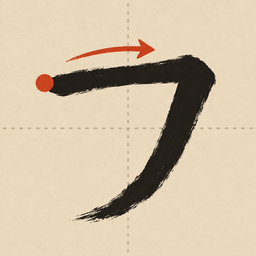
- After a mistake, only the start of the next stroke (red dot and arrow) is shown. Stuck? Tap Show this stroke
- Missed characters go to "Missed characters" and leave it after three correct in a row. Characters you get right come back after a few days
- Change the number of characters per round (5, 10 or 20) in Settings
Bookmarks and notes
- Tap Bookmark on a character, or add a note, and it appears under Bookmarks in Browse
- Swipe left in the bookmark list to remove one
- On iPhone and iPad, bookmarks and practice records sync across devices with the same Apple ID via iCloud (when you're signed in to iCloud)
Shortcuts and Siri
- Say "Show stroke order in Kanji Strokes" or use "Show stroke order" in the Shortcuts app; you'll be asked for a character and its screen opens right away
- "Search by handwriting" opens Search. You can assign it to the Action button
- Type 右, みぎ or right in Spotlight on the Home Screen to open that character's stroke order
FAQ
The stroke order differs from what I learned
Stroke order comes from KanjiVG, which follows the order taught in Japanese schools, and Jōyō kanji were cross-checked against another dataset (AnimCJK), with each disagreement checked by hand. Some characters have more than one accepted order, and textbooks or calligraphy schools may differ. If a character looks wrong to you, please let us know.
The stroke count differs from my dictionary
Some characters, like those with the ⻌ radical (3 or 4 strokes), are counted differently. The app counts the strokes it draws and shows a note on characters where counts differ.
Handwriting doesn't find my character
Writing all the strokes helps. Lift your finger between strokes (two strokes drawn in one go count as one). If you know the reading, typing it may be faster.
Does the app use the internet?
All character data is inside the app and works offline. The only network use is iCloud sync on iPhone and iPad.
Contact
For bugs, stroke order mistakes or requests, please email us with your device model, iOS / Android version, and which character and what happened.
ryo.tsuzukihashi@tsuzukit.com
 書き順しらべ